Success Factors (SAP)
This page will explain everything you need to access your SAP portal, either as a new hire completing their initial training, or as a refresher for your recurrent annual training.
SAP Website - Company ID
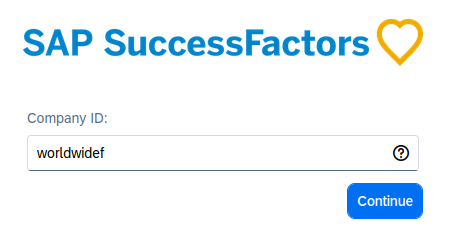
The portal to access your training is called SAP. You can access by going to SAP website. When you join, you will be asked for a Company ID which is displayed in the tutorial steps below.
Step 1: Enter the Company ID. When prompted, enter the Company ID exactly as shown in the image below. It must be all lowercase: worldwidef. The Company ID field is case-sensitive, so double-check your input.
Step 2: Access the Correct Portal. Navigate to the designated SAP portal link provided above. Ensure the login page you see has the official WFS logo to confirm you are on the correct site.
Step 3: Login with Credentials. Use your unique employee ID and/or personal email and the password you created during onboarding to log in. If this is your first time logging in, you will be asked to set up a 2-factor authenticator via your phone number. You will receive a one-time code to access your account each time you log in, for security.
Observe the video below for a step-by-step on how to get to the log in page.
Note: If you fail to log in after two attempts, please use the 'Forgot Password' link immediately. Three failed attempts will lock your account for security reasons, requiring you to contact a manager to reset it.
Accessing Learning Modules
Your training portal should be checked for training upon being hired and annually starting July of each year.
Follow along with the SAP video tutorial to learn more about how to navigate the dashboard and access training modules.